
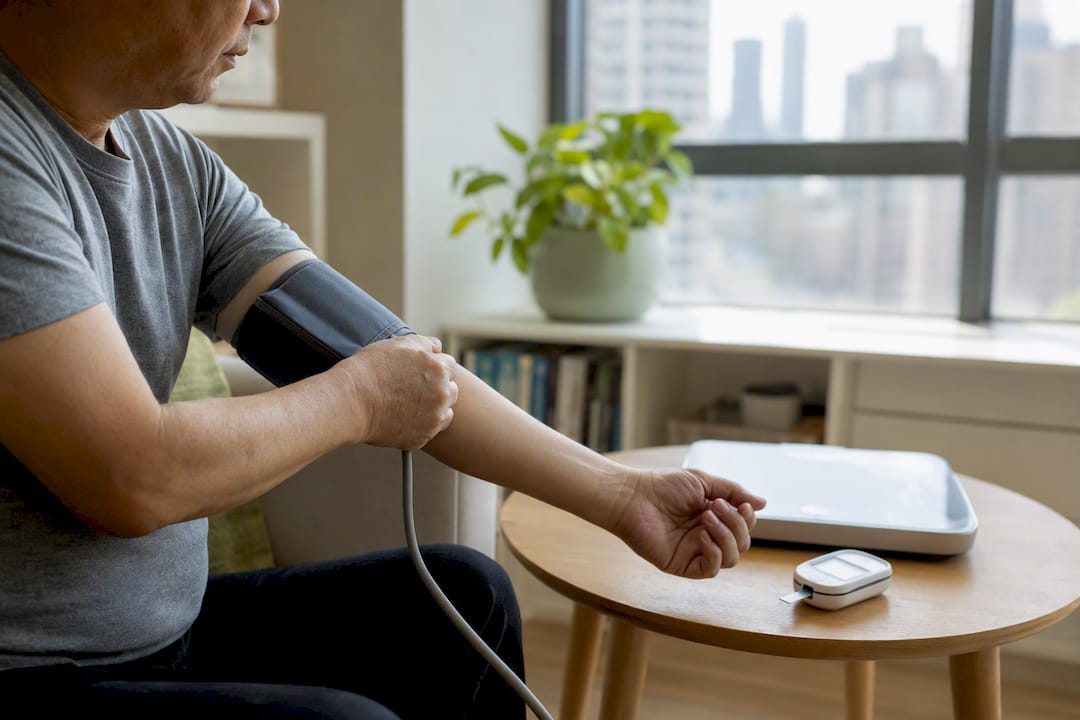
Remote patient monitoring (RPM) is the use of connected medical devices, like blood pressure cuffs, scales, and glucose meters, to collect a patient’s physiologic data at home and send it automatically to a healthcare provider for review. It matters because it turns scattered, once-a-year vital signs into a continuous record that can catch problems before they become emergencies, especially for people managing chronic conditions or recovering from surgery.
RPM is built on three things: an FDA-cleared device, a way to transmit data, and a clinician (or care team) reviewing it on a schedule or when something looks off.
Three quick facts before you go further:
- Device requirement: Medicare-covered RPM requires an FDA-defined medical device that digitally uploads data, not a consumer fitness tracker.
- Monitoring modes: Programs run on alert-driven, scheduled, or unscheduled review, and the mode determines how fast someone responds to a bad reading.
- Billing trigger: Medicare billing generally requires transmitted device data on multiple days within a 30-day period to qualify for the device-supply CPT codes.
Key Takeaways
Remote patient monitoring works when connected medical devices, reliable data transmission, and active clinical follow-up combine into one staffed, well-defined workflow.
| Point | Details |
|---|---|
| RPM requires FDA-cleared devices | Consumer fitness trackers don’t meet Medicare’s billing or clinical standards for RPM. |
| Human review drives outcomes | Devices alone don’t improve care; a staffed team interpreting data and acting on alerts does. |
| Billing hinges on device-days | Medicare generally requires at least 16 transmission days per 30-day period under CPT 99454. |
| Evidence is strong but not universal | Adherence and early detection improve reliably; some clinical and quality-of-life outcomes remain mixed. |
| RPM differs from telemedicine | RPM collects physiologic data over time; telemedicine handles live remote diagnosis and treatment. |
How Does Remote Patient Monitoring Work?
Data moves in a simple loop: a device takes a reading, the reading travels through a connection to a cloud platform, a dashboard flags it for a clinician or RPM technician, and someone decides whether to act. The whole point is closing that loop fast enough to matter.
Picture a patient with heart failure stepping on a connected scale every morning. The scale transmits the weight over a built‑in cellular connection to a monitoring platform. Software compares that number against the patient’s baseline. If weight jumps more than a few pounds in a day or two, a flag appears on a nurse’s dashboard, and that nurse calls the patient before the fluid buildup turns into a hospital visit. That is the entire pipeline: device, connectivity, dashboard, human judgment, action.
Connectivity is where most of the practical differences show up between RPM setups.
- Cellular hubs: Devices with built-in cellular chips transmit directly, without needing the patient to own a smartphone or Wi‑Fi. This works well for older adults but costs more per device.
- Wi‑Fi connections: Cheaper to run, but they depend on a stable home network, which is not guaranteed in every household.
- Bluetooth paired to a phone app: Common and low-cost, but it requires a patient to keep the app open, keep their phone charged, and stay comfortable with the technology.
The monitoring mode a program chooses shapes staffing needs and how quickly a patient gets a response.
- Alert-driven monitoring: A reading outside a preset threshold generates an immediate flag, best for high-risk patients like those with heart failure or severe hypertension.
- Scheduled monitoring: A nurse or technician reviews data on a fixed cadence, such as daily or weekly, which suits stable chronic conditions.
- Unscheduled or ad hoc monitoring: A clinician pulls up data during a routine visit rather than reacting in real time, useful for lower-acuity tracking where trends matter more than single readings.
The HHS guidance on RPM describes this entire process as asynchronous telehealth: there is no live video call involved, just data collection, transmission, and provider review happening on separate schedules.
What Are the Main Uses for Remote Patient Monitoring?
RPM earns its keep in conditions where trends over time reveal more than a single office visit ever could. Here are the six most common applications.
- Hypertension: A patient with borderline blood pressure checks daily with a connected cuff, letting a provider adjust medication before a stroke-level spike happens.
- Diabetes: A connected glucometer sends readings after meals, helping a care team fine-tune insulin dosing between quarterly A1c checks.
- Heart failure: Daily weight and symptom tracking catches fluid retention early, often the single best predictor of an impending hospital readmission.
- COPD: Pulse oximeter readings flag falling oxygen saturation before a patient even notices shortness of breath.
- Post-surgical care transitions: A patient recovering from a joint replacement or cardiac procedure gets vitals checked remotely instead of returning for in-person follow-ups.
- Maternal and obstetric monitoring: Home blood pressure cuffs help identify preeclampsia risk in pregnant patients between prenatal visits.
Special populations extend this list further. Home dialysis patients use RPM to track fluid balance and vital signs between clinic visits. Hospital-at-home programs lean on RPM as the backbone that lets acutely ill patients recover in their own beds instead of a hospital ward, with nurses monitoring continuously from a remote command center. Older adults living alone are frequently the biggest beneficiaries, since RPM offers a safety net that doesn’t require them to travel anywhere to be seen.
Does the Evidence Support Remote Patient Monitoring?
The evidence leans positive on process measures like adherence and early detection, but it’s genuinely mixed on some hard clinical endpoints, so results depend heavily on how a specific program is run.
A systematic review of 29 studies found RPM interventions improved patient safety and medication adherence, with trends toward fewer readmissions and shorter hospital stays. Quality-of-life outcomes and some clinical measures, though, showed inconsistent results across the studies reviewed, which means RPM is not a guaranteed fix for every condition or every patient.
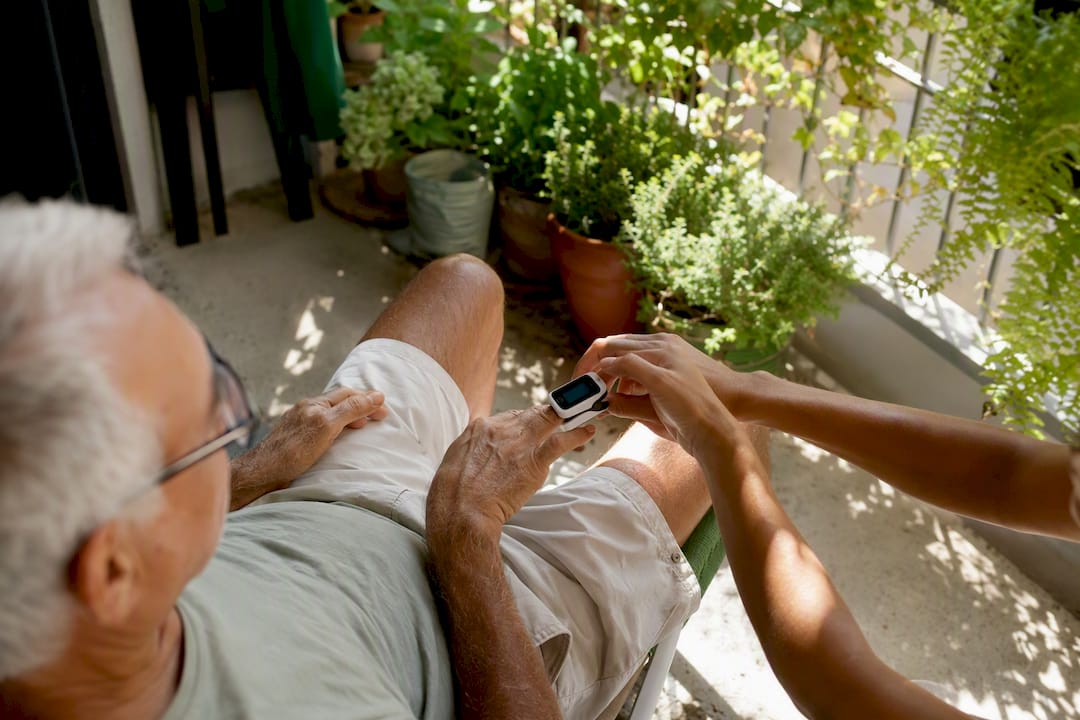
A separate systematic review of practitioner perspectives, drawing on the experiences of more than 2,351 clinicians, reported that RPM helped with earlier detection of patient deterioration and better self-care habits. The same review flagged a real cost: clinician workload increased, and practitioners raised concerns about data accuracy and patient anxiety tied to constant monitoring.
Benefits that show up consistently:
- Earlier detection of clinical deterioration
- Higher medication and monitoring adherence
- A trend toward reduced hospital readmissions
Where results are mixed:
- Overall quality-of-life scores
- Some specific clinical endpoints depending on condition and study design
- Cost savings, which vary widely by program design and patient population
Pro Tip: Favor programs that pair devices with active clinical follow-up. A review of the human element in RPM found that nurses and care teams interpreting trends and acting on alerts are what actually convert raw data into better outcomes. A device sitting unmonitored on a shelf helps no one.
What Are the Challenges and Limitations of Remote Patient Monitoring?
These are the drawbacks worth expecting going in, not discovering after the fact.
- Clinician workload: Someone has to review the incoming data every day, and that workload doesn’t disappear just because the patient is at home.
- False alarms and alert fatigue: Poorly tuned thresholds generate noise, and a nurse who gets flooded with false positives starts trusting the system less.
- Connectivity and data gaps: A dead Wi‑Fi router or a forgotten Bluetooth pairing means missing data right when it might matter most.
- Patient tech anxiety: Not every patient, particularly older adults, feels comfortable troubleshooting a device or app on their own.
- Equity and digital access: Patients without reliable internet, a smartphone, or health literacy support can get left out of programs that assume everyone has both.
Before enrolling in or recommending an RPM program, watch for these red flags:
- No clear escalation path if a reading looks dangerous
- Vague or rushed consent that doesn’t explain who sees your data
- Unclear device ownership, meaning you don’t know if you keep, return, or pay for the equipment
How Do You Get Started With Remote Patient Monitoring?
Clinics move fastest with a small pilot, clear workflows, and dedicated staffing before scaling. Patients move fastest by signing consent, setting up the device correctly the first time, and sticking to a consistent measurement routine.
Implementation checklist for clinics:
- Secure buy-in from physicians, nursing staff, and administration on why RPM fits the practice.
- Choose FDA-cleared devices suited to the target condition (cuffs for hypertension, scales for heart failure, and so on).
- Build clinical pathways defining which readings trigger which response.
- Write explicit escalation protocols, so no flagged reading sits unreviewed.
- Train staff, including designated RPM nurses or technicians, on the software and the protocols.
- Run a small pilot with a limited patient group before expanding.
- Review pilot data for gaps in workflow or staffing before scaling further.
- Scale gradually, adding patient cohorts as staffing capacity allows.
Onboarding checklist for patients:
- Review and sign consent, understanding who accesses your data and how.
- Set up the device with staff guidance, confirming it’s paired and transmitting correctly.
- Send a test transmission to confirm the data reaches the platform.
- Learn the expected measurement schedule (daily, several times weekly, and so on).
- Ask directly what happens if a reading falls outside the normal range.
RPM nurses and technicians typically serve as the first line of contact, triaging alerts and reaching out to patients directly. Physicians step in when a technician escalates a finding that needs a clinical decision, like adjusting a medication dose or ordering additional testing.
How Does Medicare Billing Work for Remote Patient Monitoring?
Medicare reimburses RPM through a combination of device-supply codes and time-based care management codes, and both categories have specific requirements a practice has to document correctly.
The key CPT codes break down like this:
- CPT 99453: Covers initial setup and patient education on using the device, billed once per episode of care.
- CPT 99454: Covers the device supply and data transmission itself, billed on a recurring monthly basis.
- CPT 99457: Covers the first 20 minutes per month of clinical staff time spent managing and interpreting the data.
- CPT 99458: Covers each additional 20-minute increment of clinical staff time beyond the first, in the same month.
Statistic Callout: Under current CMS guidance, a patient generally needs to transmit device data on at least 16 days within a 30-day period to satisfy the device-supply billing requirement tied to CPT 99454. Some clinical interpretations apply a lower threshold of at least 2 transmission days in a 30-day window for certain scenarios, so practices should confirm the applicable standard for each patient’s situation.
Documentation for billing should include signed patient consent, proof of medical necessity for the specific device and condition, and a clear record of clinical staff time spent reviewing data each month. CMS guidance changes periodically, so always verify current requirements directly with CMS or the relevant payer before submitting claims, rather than relying on last year’s rules.
What Devices and Technology Does RPM Use?
RPM relies on a handful of core device classes: blood pressure cuffs, weight scales, pulse oximeters, glucometers, wearables, and the cellular or Bluetooth hubs that connect them to the internet. Every device used for billable, clinical RPM needs to meet FDA medical device standards, not the looser standards that apply to consumer fitness trackers.
When evaluating a device or a platform, weigh these factors:
- FDA clearance: Confirms the device meets accuracy and safety standards for clinical use, not just general wellness tracking.
- Accuracy: Even FDA-cleared devices vary in real-world precision, so check for validation studies specific to the device model.
- Ease of use: A device that’s confusing to set up gets abandoned, especially by older patients.
- Connectivity reliability: Cellular-enabled devices work anywhere with signal, while many vendors ship devices preconfigured directly to patients to reduce setup friction.
- Battery life: A device that dies weekly creates gaps in monitoring exactly when consistency matters most.
Before selecting a vendor, check four things: EHR integration (does the data land where clinicians already work?), alert configurability (can thresholds be tuned per patient?), data ownership and export options, and the quality of support and warranty coverage. A cellular hub costs more but works without a home Wi‑Fi network; a Bluetooth-to-phone setup is cheaper but depends entirely on the patient keeping an app active and their phone charged.
What Privacy and Security Standards Should RPM Programs Meet?
Privacy and data security are foundational to any legitimate RPM program. Expect HIPAA-aligned safeguards and FDA-cleared devices as the baseline, not an optional upgrade.
Five checks worth confirming before trusting a program with your health data:
- HIPAA-compliant safeguards covering how data is stored, accessed, and shared.
- Encrypted transmission from the device all the way to the provider’s platform.
- Signed business associate agreements (BAAs) between the clinic and any third-party vendor handling data.
- Device authentication confirming that readings actually come from the patient’s assigned device.
- Secure EHR integration so data doesn’t sit in a separate, unmonitored system.
For your own readings to stay reliable, take your measurements at roughly the same time each day, place the device correctly (a cuff at heart level, for instance), and check the device periodically to confirm it’s still calibrated and transmitting.
Is Remote Patient Monitoring the Same as Telehealth?
RPM is not the same as telehealth or telemedicine, though the terms often get used interchangeably. RPM specifically means collecting and transmitting physiologic data over time; telemedicine means diagnosing or treating a patient remotely, often through live video; telehealth is the broad umbrella term covering both.
- Telehealth: The umbrella category for any remote healthcare delivery, including video visits, messaging, and RPM.
- Telemedicine: A live, synchronous interaction where a provider diagnoses or treats a patient remotely.
- RPM: Asynchronous data collection that tracks physiologic trends without requiring a real-time visit.
A practical overlap: a patient’s RPM device flags an abnormal blood pressure reading, and that flag triggers a telemedicine video visit so a provider can assess the patient directly. RPM feeds the data; telemedicine handles the response.
What Clinicians and Patients Say About RPM in Practice
Ask anyone who has run an RPM program for a year and they’ll tell you the devices are the easy part. What actually determines whether a program works is whether someone answers the phone when a reading looks bad. Programs that treat monitoring as a checkbox, rather than a staffed responsibility, tend to disappoint everyone involved.
Three lessons come up again and again:
- Invest in training before launch, not after problems start. Staff who understand escalation protocols catch issues faster.
- Set escalation protocols in writing, so no one has to guess who calls the patient back.
- Start with simple devices first. A cuff and a scale, done well, beat five gadgets running poorly.
Zealthy’s own telehealth consent process reflects this same principle: clear expectations up front, paired with same-day access to a licensed provider when something needs a closer look, rather than data sitting untouched in a dashboard.
Ready to Explore Remote Care Options?
Understanding remote patient monitoring is one piece of a larger shift toward accessible, connected healthcare, and that shift extends well beyond chronic disease tracking. If you’re managing a condition like hypertension, diabetes, or weight, and you want ongoing support from a licensed provider without the wait for an in-person appointment, Zealthy’s virtual primary care platform connects you with clinicians who average over a decade of clinical experience. Zealthy offers same-day appointments, personalized treatment plans, and prescription delivery, so the follow-through that makes remote monitoring effective, actual human review and timely action, is built into the experience. Explore Zealthy’s full range of care options to see whether a connected, ongoing care relationship fits your health goals.
Sources
- Remote patient monitoring - CMS
- Systematic review on RPM interventions (PMC)
- Remote patient monitoring - PSNet (AHRQ)
- Telehealth
This article is general information, not a substitute for advice from a qualified doctor. Consult a qualified healthcare professional about your own circumstances before acting on anything here.
FAQ
What Is the Difference Between Telehealth and Remote Patient Monitoring?
Telehealth is the broad category covering all remote healthcare delivery, while RPM specifically refers to collecting and transmitting physiologic data, like blood pressure or weight, without requiring a live visit.
What Does a Remote Patient Monitoring Nurse Do?
An RPM nurse or technician reviews incoming patient data, reaches out when readings fall outside normal ranges, and escalates concerning findings to a physician for clinical decisions.

Does Medicare Pay for Remote Patient Monitoring?
Yes, Medicare covers RPM through CPT codes 99453, 99454, 99457, and 99458, provided the device is FDA-cleared and transmission requirements, generally at least 16 days per month, are met.
How Long Does It Take to Set Up an RPM Program?
A small clinical pilot typically takes a few weeks to a few months to organize, covering device selection, staff training, and escalation protocol design before scaling to more patients.
Can I Use My Own Fitness Tracker for Remote Patient Monitoring?
Generally no. Billable, clinical RPM requires an FDA-cleared medical device, and most consumer fitness trackers don’t meet that regulatory standard.



.svg)
.svg)
.svg)
.svg)

